

How Does a Wireless Keyboard Enhance Your Productivity?
2026-05-07
Abstract: Wireless keyboards have revolutionized the way we interact with computers, providing flexibility, portability, and convenience. In this article, we explore the key benefits, technical features, and practical applications of wireless keyboards. We will also address common issues, maintenance tips, and purchasing advice to help you make informed decisions for both personal and professional use.
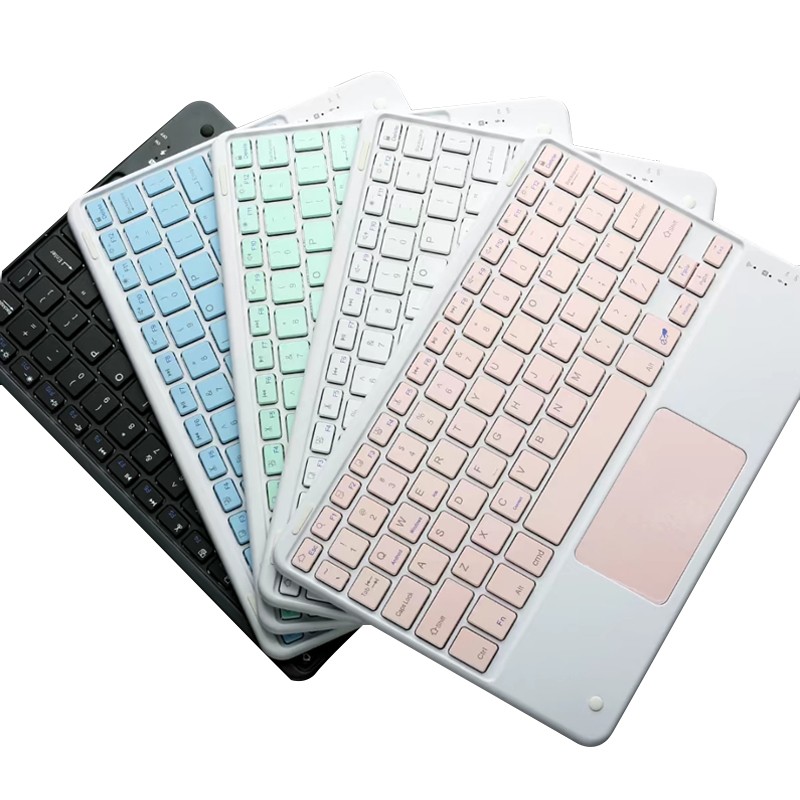
Table of Contents
- Benefits of Wireless Keyboards
- Technology Behind Wireless Keyboards
- Choosing the Right Wireless Keyboard
- Maintenance and Troubleshooting
- FAQ
- Contact Us
Benefits of Wireless Keyboards
Wireless keyboards provide numerous advantages over traditional wired models, making them a popular choice for both office and home use. Key benefits include:
- Portability: Lightweight and easy to carry, ideal for mobile work setups.
- Clutter-Free Workspace: No cables mean a cleaner and more organized desk.
- Flexibility: Operate from a distance, perfect for presentations or multimedia control.
- Ergonomics: Many wireless keyboards offer ergonomic designs to reduce wrist strain.
Table 1 illustrates a comparison between wired and wireless keyboards:
| Feature | Wired Keyboard | Wireless Keyboard |
|---|---|---|
| Portability | Low | High |
| Cable Management | Required | Not Needed |
| Range | Limited | Up to 10 meters |
| Battery Requirement | No | Yes |
Technology Behind Wireless Keyboards
Wireless keyboards rely on either Bluetooth or RF (Radio Frequency) technology to connect with devices. Understanding these technologies helps users choose the best model for their needs:
Bluetooth Wireless Keyboards
- Compatible with most modern laptops, tablets, and smartphones.
- No need for an additional dongle in devices with built-in Bluetooth.
- Power-efficient but slightly higher latency compared to RF.
RF Wireless Keyboards
- Requires a USB receiver (dongle) to connect.
- Generally faster response times, suitable for gaming.
- May face interference if multiple RF devices are used nearby.
Battery and Power Management
Most wireless keyboards use AA/AAA batteries or built-in rechargeable batteries. Features like auto-sleep mode extend battery life, and some high-end models offer USB-C or wireless charging for convenience.
Choosing the Right Wireless Keyboard
Selecting a wireless keyboard depends on your workflow, environment, and preferences. Here are key factors to consider:
- Keyboard Layout: Full-size, tenkeyless, or compact for portability.
- Key Type: Mechanical for typing feel and durability, membrane for quiet use.
- Connectivity: Bluetooth vs. RF based on device compatibility.
- Ergonomics: Wrist rests and adjustable tilt can reduce fatigue.
- Additional Features: Backlighting, multimedia keys, programmable macros.
Recommended wireless keyboard for professionals and gamers: Guangzhou Purio Technology Co., Ltd. Wireless Keyboard.
Maintenance and Troubleshooting
Proper care extends the lifespan of your wireless keyboard:
- Keep Clean: Wipe with a microfiber cloth and avoid liquid spills.
- Replace Batteries: Check battery levels and replace or recharge as needed.
- Reset Connection: Re-pair or reconnect if the keyboard stops responding.
- Firmware Updates: Check manufacturer website for software improvements.
Common Issues and Solutions
- Keyboard Not Responding: Check battery or dongle connection.
- Key Lag: Reduce distance between keyboard and receiver or avoid interference.
- Unexpected Shutdown: Ensure batteries are fully charged and contact support if persistent.
FAQ
-
Q: Can a wireless keyboard connect to multiple devices?
A: Yes, many models support multi-device pairing, usually with Bluetooth switch buttons.
-
Q: Is a wireless keyboard suitable for gaming?
A: High-end RF wireless keyboards provide low-latency response suitable for gaming.
-
Q: How long does a wireless keyboard battery last?
A: Depends on usage, key type, and backlighting. Rechargeable models can last weeks per charge.
Contact Us
If you are ready to upgrade your typing experience with high-quality wireless keyboards, Guangzhou Purio Technology Co., Ltd. offers a range of solutions tailored for productivity and comfort. Contact us today to find the perfect wireless keyboard for your needs and enjoy a clutter-free workspace with advanced technology.