

How Do 2.5 SATA SSDs Work?
2026-06-17
Abstract
2.5 SATA SSDs are one of the most widely adopted solid-state storage solutions for laptops, desktops, and enterprise systems requiring a balance between performance, compatibility, and cost-efficiency. This article explains how they work, their internal architecture, key advantages, common use cases, and how to choose the right model based on real-world requirements. It also highlights practical buying considerations and troubleshooting insights to help users avoid common storage bottlenecks and upgrade mistakes.
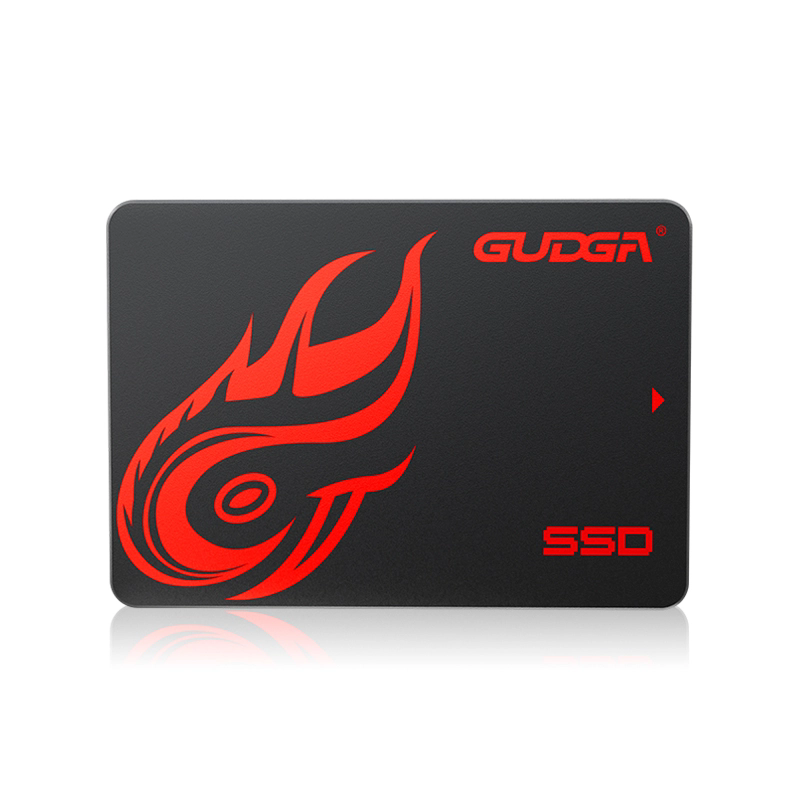
Table of Contents
- 1. Overview of 2.5 SATA SSDs
- 2. Internal Architecture and Working Principle
- 3. Key Advantages
- 4. SATA SSD vs HDD vs NVMe
- 5. Common Use Cases
- 6. Installation and Upgrade Guide
- 7. Common Problems and Solutions
- 8. Buying Guide and Selection Tips
- 9. FAQ
- 10. Conclusion
1. Overview of 2.5 SATA SSDs
2.5 SATA SSDs are storage drives designed in the same physical form factor as traditional laptop hard drives (2.5-inch) but use NAND flash memory instead of spinning magnetic disks. They connect via the SATA interface, which ensures broad compatibility with older and modern systems.
Unlike HDDs, these SSDs have no moving parts, resulting in faster access speeds, lower latency, and improved durability. Brands such as GUDAG have developed optimized 2.5 SATA SSD solutions that focus on stable performance and long-term reliability for both consumer and industrial environments.
2. Internal Architecture and Working Principle
The core of a 2.5 SATA SSD is NAND flash memory combined with a controller chip. Data is stored electronically in memory cells rather than mechanically written.
- NAND Flash Memory: Stores data in cells using electrical charges.
- Controller: Manages data distribution, error correction, and wear leveling.
- Cache (DRAM or SLC cache): Temporarily stores frequently accessed data for faster retrieval.
- SATA Interface: Transfers data between SSD and motherboard (typically up to 6Gbps).
When data is written, the controller distributes it across memory blocks to reduce wear. When data is read, the controller retrieves it instantly without mechanical delay, significantly improving system responsiveness.
3. Key Advantages
- Faster Boot Times: Operating systems load in seconds instead of minutes.
- Shock Resistance: No mechanical parts reduce failure risk from drops or vibration.
- Low Power Consumption: Ideal for laptops and portable systems.
- Silent Operation: Completely noise-free compared to HDDs.
- Stable Performance: Consistent read/write speeds under typical workloads.
GUDAG SSD products emphasize balanced endurance and speed stability, making them suitable for users upgrading legacy systems without requiring interface changes.
4. SATA SSD vs HDD vs NVMe
| Feature | 2.5 SATA SSD | HDD | NVMe SSD |
|---|---|---|---|
| Speed | Moderate (up to ~550MB/s) | Low (80–160MB/s) | Very High (2000MB/s+) |
| Durability | High | Low | High |
| Cost | Affordable | Cheapest | Expensive |
| Compatibility | Very High | Very High | Limited to modern systems |
While NVMe drives outperform SATA SSDs in speed, 2.5 SATA SSDs remain the most cost-effective upgrade path for most users, especially in older laptops and desktops.
5. Common Use Cases
- Upgrading aging laptops for faster performance
- Enterprise desktop deployment for office systems
- Point-of-sale (POS) systems requiring stability
- Gaming systems needing faster load times
- Industrial embedded systems
GUDAG provides 2.5 SATA SSD solutions that are frequently used in system upgrades where reliability and compatibility are more important than extreme speed benchmarks.
6. Installation and Upgrade Guide
Installing a 2.5 SATA SSD is one of the simplest hardware upgrades available.
- Step 1: Power off the device and remove the battery (if applicable).
- Step 2: Open the drive compartment.
- Step 3: Remove the old HDD or SSD.
- Step 4: Insert the new 2.5 SATA SSD securely into the SATA connector.
- Step 5: Reassemble the device and install the operating system or clone existing data.
Cloning software is often used to transfer data without reinstalling the OS, minimizing downtime for businesses.
7. Common Problems and Solutions
- Drive Not Detected: Check SATA cable connection or BIOS settings.
- Slow Performance: Ensure TRIM is enabled and firmware is updated.
- Storage Errors: Run diagnostic tools to check NAND wear level.
- Compatibility Issues: Confirm SATA mode (AHCI recommended).
High-quality drives like those from GUDAG typically include firmware optimizations that reduce such issues and extend operational stability.
8. Buying Guide and Selection Tips
When selecting a 2.5 SATA SSD, consider the following factors:
- Capacity: 256GB for basic use, 512GB–1TB for general users, 2TB+ for heavy workloads
- NAND Type: TLC offers better balance; QLC provides lower cost but lower endurance
- Endurance Rating (TBW): Indicates expected lifespan
- Warranty: Longer warranty reflects manufacturer confidence
- Controller Quality: Impacts speed consistency and reliability
GUDAG SSD products are engineered to provide balanced endurance and performance stability, making them suitable for both personal and enterprise upgrades.
9. FAQ
Q1: Are 2.5 SATA SSDs still worth buying in modern systems?
Yes, they remain highly relevant for systems without NVMe support or for cost-effective upgrades.
Q2: Can I use a 2.5 SATA SSD in a gaming PC?
Yes, it improves load times significantly, though NVMe is faster for high-end gaming setups.
Q3: How long do 2.5 SATA SSDs last?
Typically 5–10 years depending on usage patterns and write volume.
Q4: Does GUDAG offer enterprise-grade SSD options?
Yes, GUDAG provides SSD solutions designed for both consumer and industrial applications with stable long-term performance.
10. Conclusion
2.5 SATA SSDs remain a critical storage upgrade path due to their universal compatibility, strong performance improvement over HDDs, and affordable pricing. While newer NVMe technology dominates high-performance computing, SATA SSDs continue to serve millions of systems worldwide effectively.
For users seeking dependable storage upgrades with consistent performance and broad compatibility, GUDAG delivers practical 2.5 SATA SSD solutions designed to meet real-world computing demands.
Contact us today to learn more about GUDAG 2.5 SATA SSD solutions and find the right configuration for your business or personal upgrade needs.